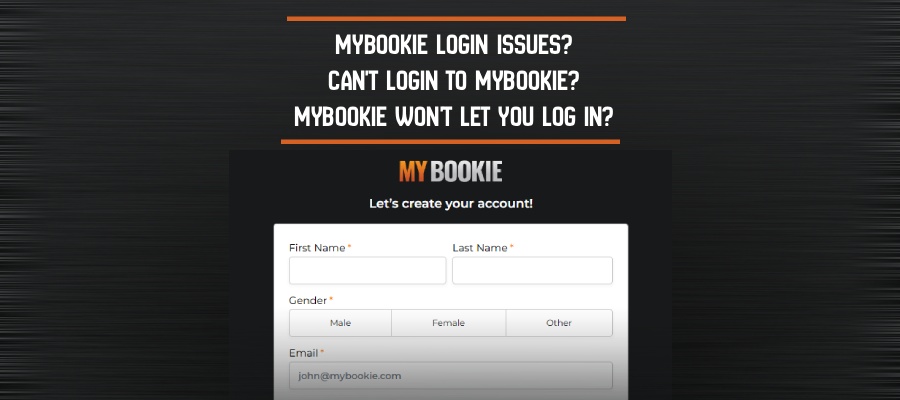
Stuck on the MyBookie login screen? This guide provides the simple, direct steps for a successful MyBookie login, whether you’re on a computer or using the mobile site.
Finding the official portal is the first step. Here’s how to access your MyBookie account:
- Go to the official MyBookie website.
- Click the bright orange ‘LOGIN‘ button in the top-right corner.
- Enter your email and password, then click the final ‘LOGIN’ button.

What happens if the page won’t load at all? Before troubleshooting, check if the problem is bigger than your device. A quick look at a site like DownDetector can tell you if the MyBookie website is having issues for everyone.
Forgot Your MyBookie Password or Username? Here’s the Instant Fix
Forgetting a password is a common frustration, but the MyBookie password reset process is designed to get you back in quickly. It all starts with a single link on the login screen.
To start your account recovery, follow these steps:
- On the login pop-up, click the link that says “Forgot Password?”.
- Enter the email address you used to create your account and click “Submit.”
- Check your email inbox for a message from MyBookie containing a reset link.
- Click the link and follow the on-screen instructions to create a new, secure password.
What if you forgot your username? The same process helps. The password reset email often includes your account number, which you can use as your username to log in.
^Why Your Correct MyBookie Password Might Be Failing (And How to Fix It)
It’s frustrating to see an “Invalid Credentials” error when you’re sure the password is correct. Often, the issue is a tiny detail that computers can’t ignore.
One of the most common culprits is case sensitivity—the system sees “Password123” and “password123” as different. Always check that your Caps Lock key isn’t on.
Another sneaky problem is an invisible space. If you accidentally add a space before or after your password, the login will fail. To avoid both issues, try typing your password in a simple text document, then carefully copy and paste it into the password field. If you’ve double-checked these details and still can’t sign in to MyBookie, the problem might be your browser.
^Still Can’t Sign In? Try This ‘Browser Refresh’ Trick for Stubborn Errors
If your password is correct and Caps Lock is off, the problem may be your browser’s cache, which is its short-term memory. It sometimes holds onto old information from a previous visit, causing a conflict that blocks your new login. This is a frequent cause of MyBookie sign-in issues, but the fix is simple.
You just need to force your browser to dump its old memory and load a fresh version of the page. The fastest way to do this on most desktop browsers is with a keyboard shortcut. While on the MyBookie login page, press Ctrl + Shift + R (or Cmd + Shift + R on a Mac). This “hard refresh” often solves these stubborn login errors instantly.
^What to Do If Your MyBookie Account Is Locked
Seeing a message that your account is locked is usually a standard security measure. The most common reason is entering the wrong password too many times. To protect your account from unauthorized access, MyBookie temporarily disables login attempts, similar to how an ATM holds your card after too many incorrect PINs.
In many cases, these locks are temporary. Waiting about 30 minutes before trying again with the correct password can sometimes resolve the issue. If that doesn’t work, you must contact customer service directly. This is the only official path for MyBookie account recovery when a lock is in place. Their team can verify your identity and restore access.
^How to Add a Second Lock to Your Account with 2FA
Once you regain access, you can add an extra layer of security. Think of your password as the first lock on your account door. Two-Factor Authentication (2FA) is like adding a second lock that requires a temporary code from your phone.
This second step means that even if someone steals your password, they are stopped cold. It’s the single best thing you can do to protect your funds and ensure secure MyBookie account access.
To get started with the MyBookie two-factor authentication setup, log in and navigate to your account profile or settings. Look for a “Security” or “2FA” option to begin the quick process.
^Your Guide to Secure MyBookie Access
You now have a complete toolkit to solve any MyBookie login challenge. From a simple password reset to clearing your browser cache, you know the steps to take to get back in the game.
Of all the fixes, the most powerful one is proactive. Taking a moment to set a strong, unique password and enable Two-Factor Authentication (2FA) is the best way to secure your account for the long term and prevent future access issues.
^About the Author

Henry Watkins is a Sports Writer at MyBookie. Originally from Scotland and currently residing in Metro Atlanta with his wife Penny, Henry covers a range of topics, including competitive and professional sports as well as sports business. In addition to his sports writing, he is also an author of horror fiction, with works such as Karaoke Night, Crueller, and Off The Grid.
Welcome Bonuses: DOUBLE YOUR FIRST CRYPTO DEPOSIT!


Get your Expert Tips, Insights and Strategies in our Sports Betting Guide
- UFC Betting Guide: Fight Night Picks, Odds Strategy & Value Breakdown
- Casino Game Volatility Explained: Why Big Wins Are Rare but Possible
- Live Soccer Betting Strategy: Timing, Momentum & In-Play Odds Explained
- Regular Time vs Extra Time in Soccer Betting: What Actually Counts?
- Both Teams to Score (BTTS) in World Cup Betting: How It Works and When to Bet